

AVAYA DOCUMENTATION CENTER
Find answers to your technical questions and learn how to use our products
Avaya Aura® Communication Manager Feature Description and Implementation
Administering the Trunk Group and Signaling Group for FAS and NFAS
Procedure
- Note the following details shown in the Signaling Group screen (the figure, the figure, and the figure):
Signaling Group 1 B-channels on DS1 boards B0 and B1 are signaled by D-channel pair B1524 (see the Primary D-Channel field) and B1624 (see the Secondary D-Channel field).
Signaling Group 2 B-channels on board B1 are signaled by D-channel B1824.
Board B0 has no D-channel. The B-channels on board B0 can be signaled by either D-channel pair B1524/B1624 (Signaling Group 1) or D-channel B1824 (Signaling Group 2).
The DS1 interface on board B19 (Signaling Group 3) is a Facility Associated Signaling situation. Note that the system does not display the Secondary D-channel and Trunk Board/Interface ID fields when the Associated Signaling field is set to y.
Figure : 1. Signaling Group screen (Group 1) - D-channel backup, three DS1 interfaces
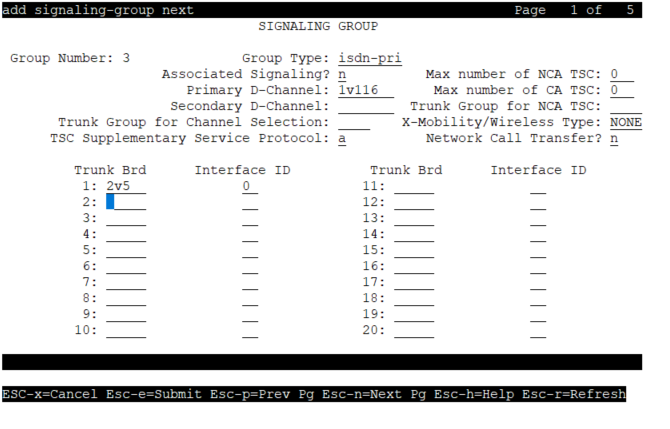
Figure : 2. Signaling Group screen (Group 2) - no D-channel backup, two DS1 interfaces 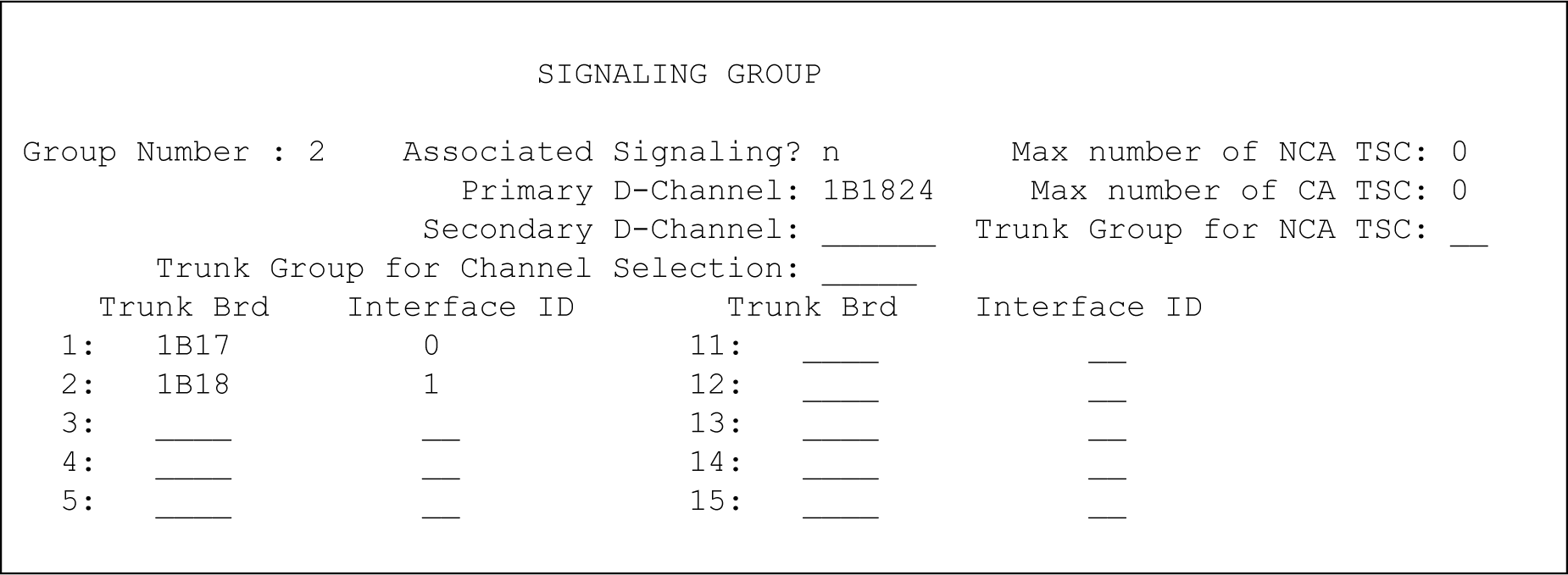
Figure : 3. Signaling Group screen (Group 3) - FAS 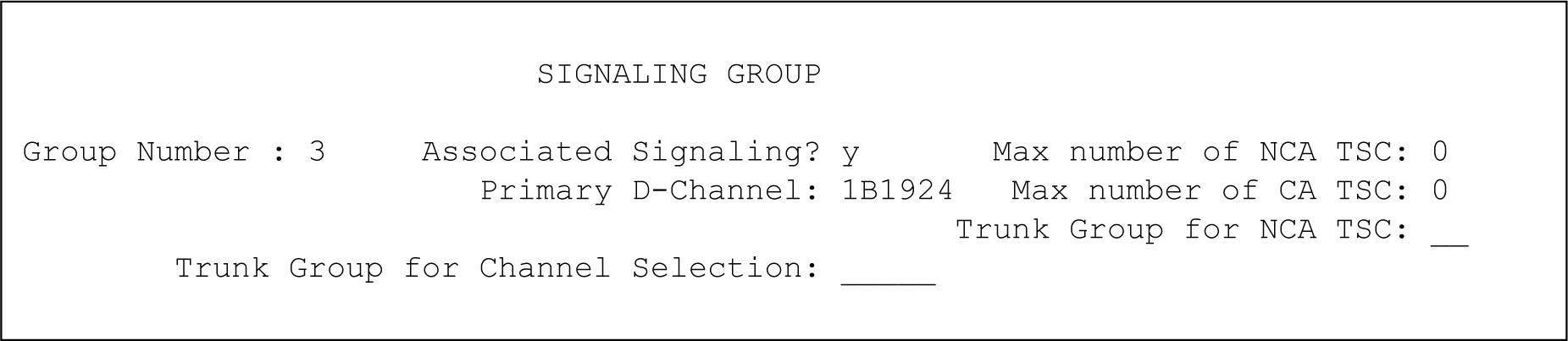
- In the Sig Grp column on the Signaling Group Screen perform the following actions:
If the system displays a DS1 interface in only one Signaling Group, leave the Sig Grp field blank. The system automatically populates the field with the correct Signaling Group.
If the system displays a DS1 media module in more than one Signaling Group, type the Signaling Group numbers in the appropriate fields.
- Press Enter to save your changes.