

Creating or changing a Meet-me Conference vector

Last Updated : Oct 30, 2012 |

Procedure

  1. Enter change vector n, where n is the number of the vector that you want to create or change.

    Vector numbers must be between 1 and 256.

  2. In the Meet-me Conf field, type y to designate the vector as a Meet-me Conference vector.
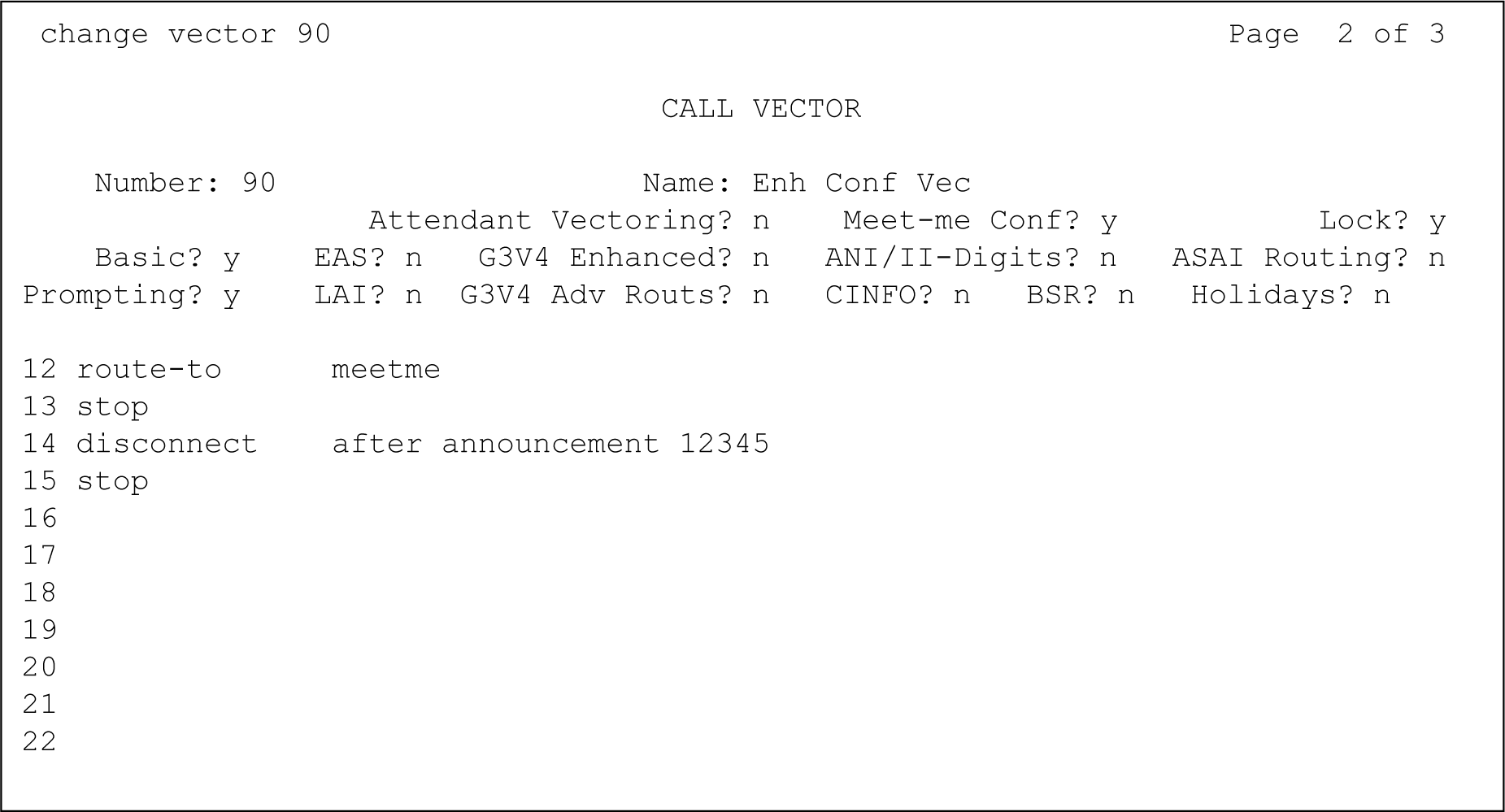
  3. Use the numbered fields to create or change a Meet-me Conference vector, as shown in the examples Call Vector screen Page 1 and Call Vector screen Page 2.

    For more information on how to create a vector, see Options for creating vector steps and How the vector processes a call.

    Figure : 1. Call Vector screen Page 1
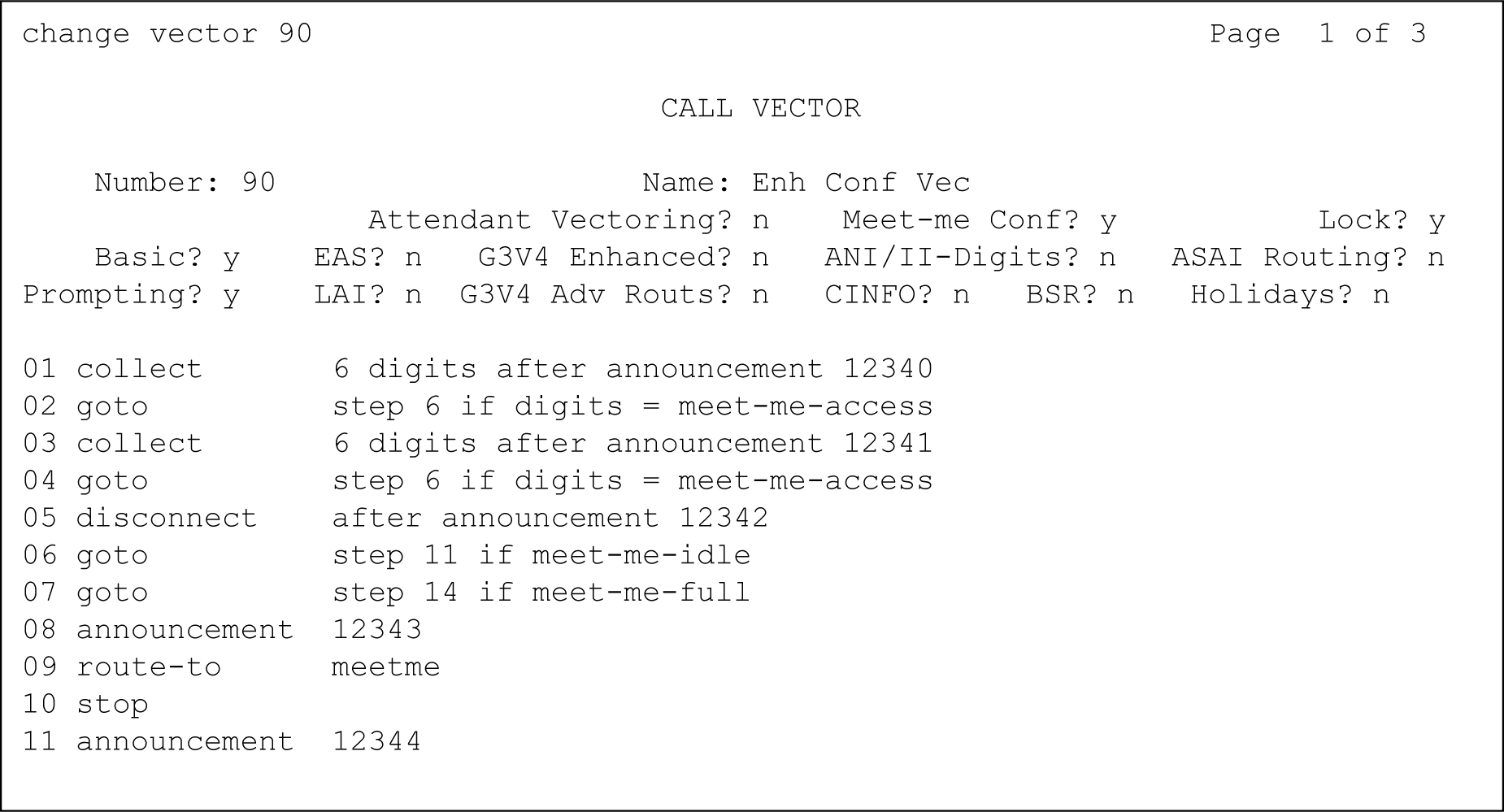
    Figure : 2. Call Vector screen Page 2
  4. Press Enter to submit the vector.
    Note:

    If a new party joins a conference immediately, and the party is an H.323 IP trunk user, the caller cannot have a talk path with the other parties in the conference. To prevent this situation, include a short delay in the vector at a point before a new party joins the Meet-me Conference. This delay can be a step to collect digits, a 1-second delay, or an announcement. Since Meet-me vectors are almost always configured with announcements and digit collection, this situation is rarely an issue.