

AVAYA DOCUMENTATION CENTER
Find answers to your technical questions and learn how to use our products
Deploying Avaya Oceana®
Editing the existing Treatment vector
About this task
Use this procedure to edit the existing Treatment vector to add the lines for callback.
Procedure
- On page 1 of the CALL VECTOR screen, update the details in line 16 to line 26 as shown below:
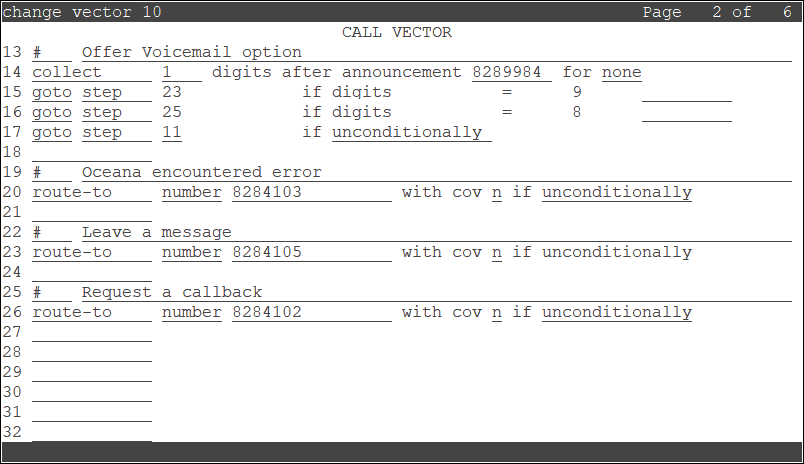
The new lines that are added for callback are 16, 24, 25, and 26.
In this example, 8284102 is the Callback VDN.