AVAYA DOCUMENTATION CENTER
Find answers to your technical questions and learn how to use our products
Deploying Avaya Oceana®
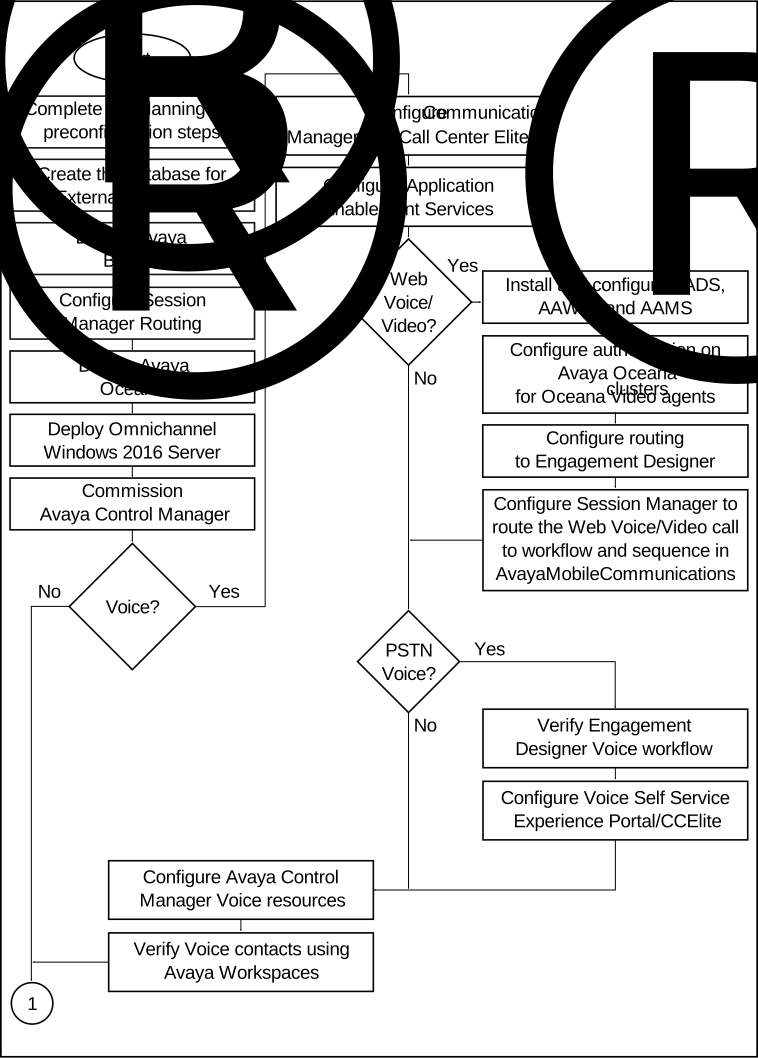
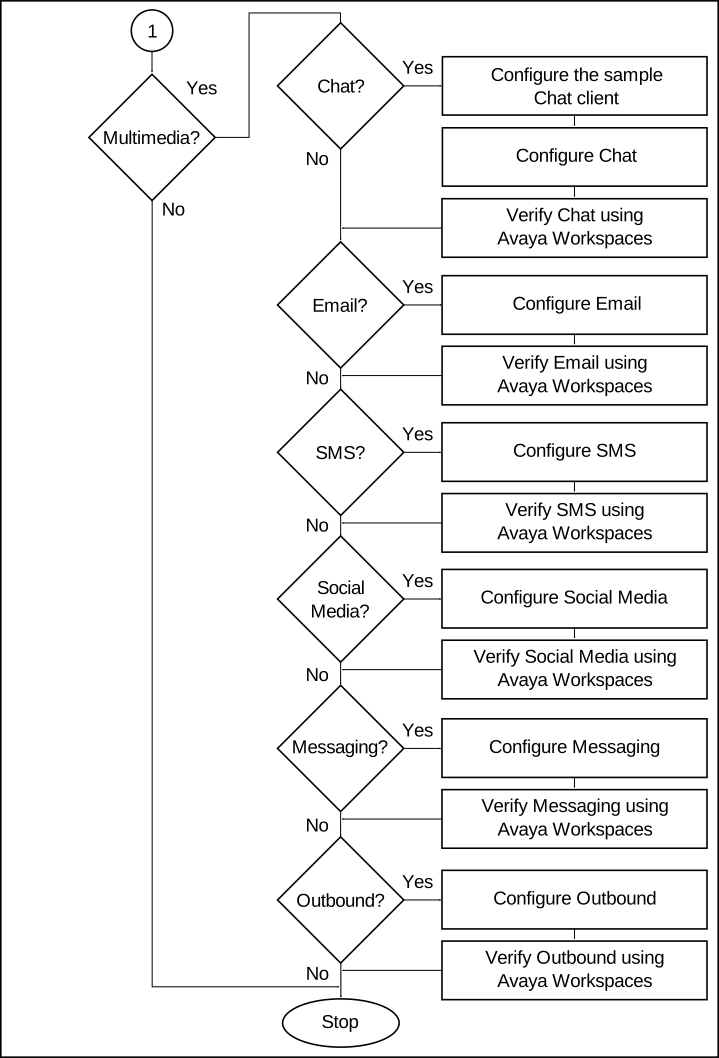
Work flow
This work flow shows the sequence of tasks that you must perform to deploy Avaya Oceana®.
Important:
PSTN Voice, Web Voice, and Web Video channels share a common configuration of Communication Manager, Call Center Elite, Application Enablement Services, Avaya Control Manager, and Avaya Workspaces.
Avaya Oceana® must have the campus Avaya Control Manager applications and its associated databases, Omnichannel Database servers, and EDM SQL server in the same physical data center as the Avaya Breeze® platform nodes.
Avaya does not support physically locating Avaya Control Manager or Omnichannel campus applications in a different location from Avaya Breeze® platform. All must be reside in the same location.
This requirement does not apply to a Disaster Recovery solution that has two interdependent deployments connected over a WAN.
All Avaya Oceana®/Avaya Breeze® platform deployments rely on a highly available DNS server. Therefore, ensure that you have backup DNS server capabilities.
Avaya Oceana® needs access to a DNS with forward and reverse lookup. You can configure forward and reverse lookup DNS entries for the Fully Qualified Domain Names (FQDNs) and IP addresses for all components within Avaya Oceana®.