AVAYA DOCUMENTATION CENTER
Find answers to your technical questions and learn how to use our products
Deploying Avaya Oceana®
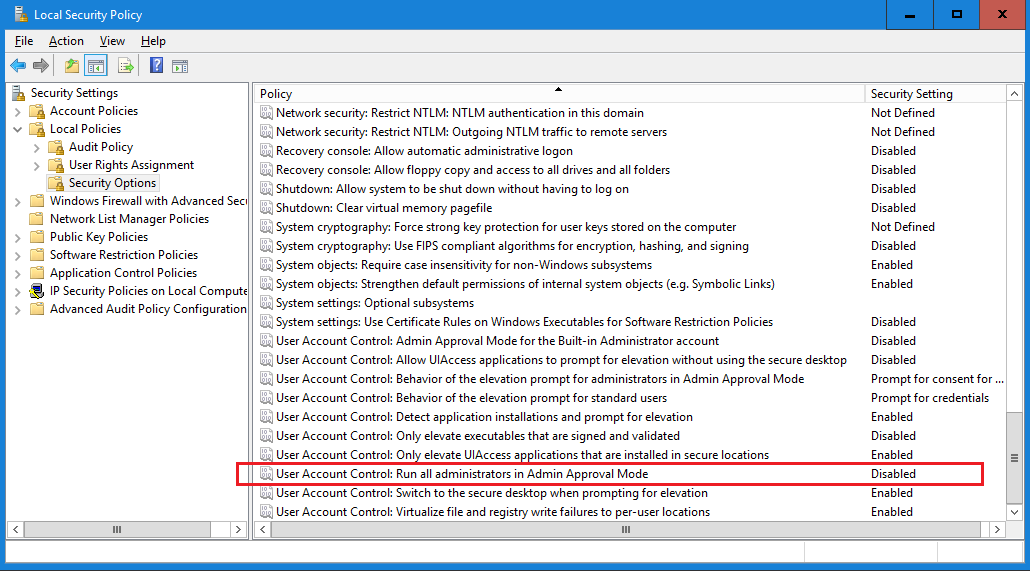
Disabling Admin Approval Mode for Omnichannel Windows Server administrators
About this task
Microsoft Windows Server 2019 implements a security feature known as User Account Control (UAC). By default, this feature causes applications run by local non built-in administrators to behave as if the applications had been run by standard users. Perform this procedure to ensure that local administrators get full privileges for running applications.
This procedure describes how to disable Admin Approval Mode on the Omnichannel Windows Server using one method only; there are additional methods available. For example, you can also administer User Account Control settings for the Omnichannel Windows Server using a group policy.
Important:
If you cannot change User Account Control settings on the Omnichannel Windows Server because your Windows user account does not have sufficient privileges, you must contact your local system administrator. Do not install Omnichannel Windows Server software until you resolve this issue.
Procedure
- Click OK.
If prompted, restart the server.