AVAYA DOCUMENTATION CENTER
Find answers to your technical questions and learn how to use our products
Administering Avaya Call Management System
Viewing CMS licensing information in the Web Client
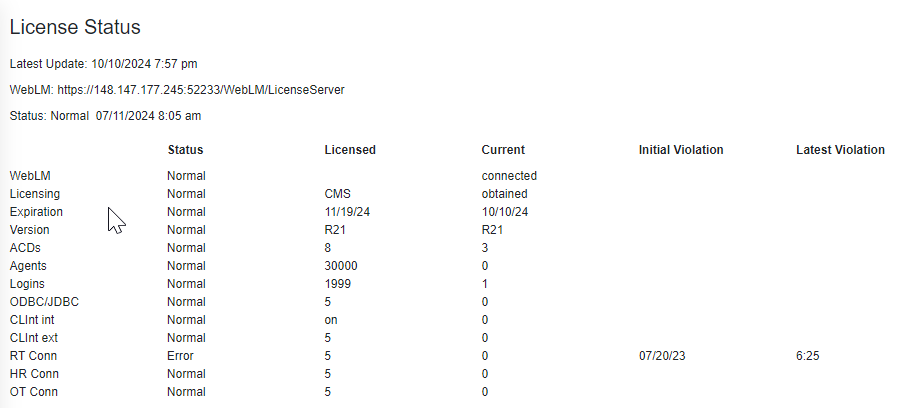
In the Web Client, you can view CMS licensed features and the licensing status for each. The status refers to the licensing state. For example: Normal or Error. When the Error status is displayed, you also see information about when the violation first occurred and the latest violation. For general information about CMS licensing and a more detailed description of license modes, see Avaya Call Management System Overview and Specification.
Note that you cannot view the license status in the PC Client.
- Navigate to .
STEP RESULT:For each license, you see the current status, what features are licensed, along with the quantities of the license, and any license violations.
The following is an example of the type of licensing status information displayed: