

AVAYA DOCUMENTATION CENTER
Find answers to your technical questions and learn how to use our products
Administering Avaya Call Management System
Deleting a timetable
Only the owner of the timetable or an administrator can delete timetables.
- From the CMS main menu, press F4 (Keep).
- Select Timetable and press the Enter key.
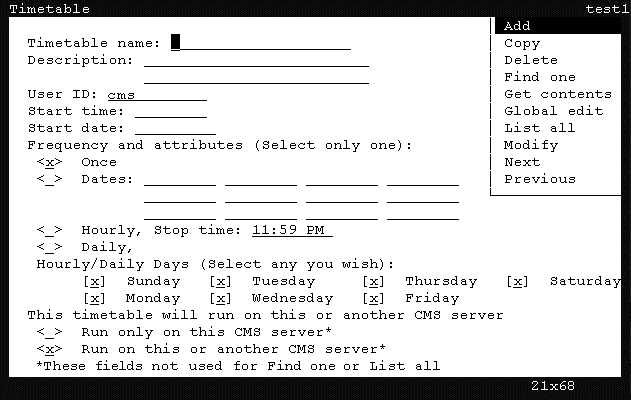
STEP RESULT:CMS displays the Timetable window.
- Press Ctrl+Z.
STEP RESULT:The fields in the window are cleared of all default information.
- In the Timetable name field, enter the name of the timetable containing the tasks to modify globally.
- Press the Enter key.
STEP RESULT:CMS shifts focus to the action list.
- Using the arrow keys, highlight Find one and press the Enter key.
STEP RESULT:CMS locates the timetable and populates the remaining fields with the information from the timetable.
- Press the Enter key.
STEP RESULT:CMS shifts focus to the action list.
- Using the arrow keys, highlight Delete and press the Enter key.
STEP RESULT:CMS displays a confirmation window.
- Press the Y key and then the Enter key.
STEP RESULT:CMS deletes the timetable and a successful message is displayed in the status line.