AVAYA DOCUMENTATION CENTER
Find answers to your technical questions and learn how to use our products
Administering Avaya Call Management System
Viewing firewall status information in the Web Client
You can view firewall status information for the IPv4 or IPv6 protocol. Status information is only displayed if the firewall is running.
- Navigate to .
- From the Interface Type drop-down list, select IPv4 or IPv6.
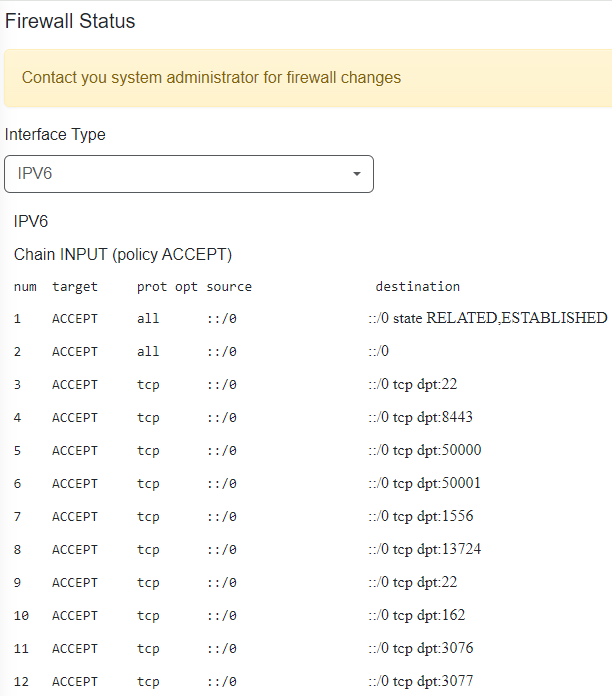
STEP RESULT:CMS Supervisor displays the firewall status for the selected protocol.
The following example image shows a snippet of the type of information displayed: