

AVAYA DOCUMENTATION CENTER
Find answers to your technical questions and learn how to use our products
Administering Avaya Call Management System
Running a shortcut
This topic provides the procedure for executing a shortcut.
- At the CMS Main Menu, press the ; (semicolon) key.
STEP RESULT:CMS selects the command line of the Main Menu.
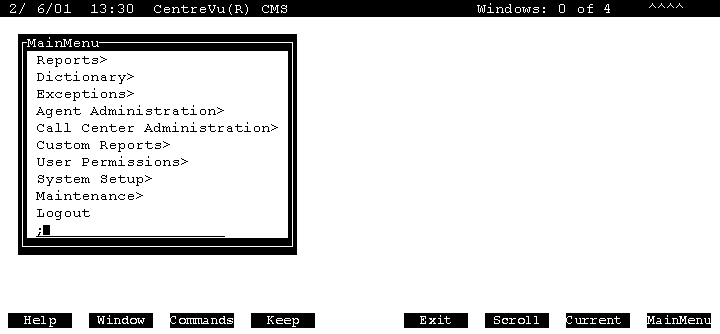
- Enter the name of the shortcut to run and press the Enter key.
STEP RESULT:The shortcut starts running and locks the keyboard until the shortcut finishes. When the shortcut finishes, the status line displays a Successful message.