

AVAYA DOCUMENTATION CENTER
Find answers to your technical questions and learn how to use our products
Administering Avaya Call Management System
Deleting a shortcut
This topic provides the procedure for deleting a shortcut from the CMS server.
- From the CMS main menu, press F4 (Keep).
- Select Shortcut and press the Enter key.
STEP RESULT:CMS displays the Shortcut window.
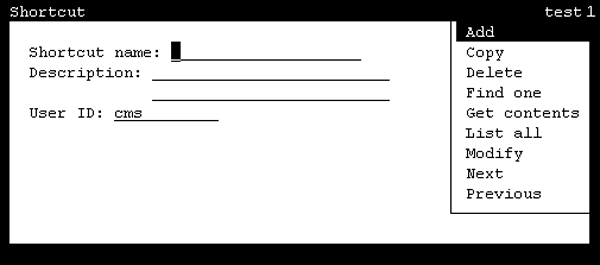
- In the Shortcut name field, enter the name of the shortcut to delete.
ADDITIONAL INFORMATION:Shortcuts owned by other users cannot be deleted.
- Press the Enter key.
STEP RESULT:CMS shifts focus to the action list.
- Highlight Find one and press the Enter key.
STEP RESULT:CMS retrieves the information for the specified shortcut. If the shortcut with the name specified cannot be found, this will be indicated on the status line.
- Verify that this is the shortcut to be deleted and press the Enter key.
STEP RESULT:CMS shifts focus to the action list.
- Highlight Delete and press the Enter key.
STEP RESULT:CMS displays a confirmation window.
- Press the Y key and then the Enter key.
STEP RESULT:CMS deletes the specified shortcut and displays a Successful message in the status line.